
Android app · Kotlin and JavaScript · in progress
Org Mobile Alpha
A vault-based Org document editor on Android,
in the shape of Obsidian: point it at a
folder of .org files and every one of them renders and edits in
place.
Early software. Do not trust this app yet. Keep a backup of your Org files before testing it.
.org, byte for byte what Emacs wroteTry the editor Live
The panel below is not a mock-up or a video. It is the app's document view —
the same editor.js bundle the APK ships, in an iframe — opened on
a sample file. Put the caret in it and type. The row you are on shows its raw
Org source providing a seamless editing experience.
A simple stub backend has been implemented in embed.js.
Basic heading edit and link redirection is implemented here, but you can imagine this
editor being embedded in a much larger application.
Features
Inline editing
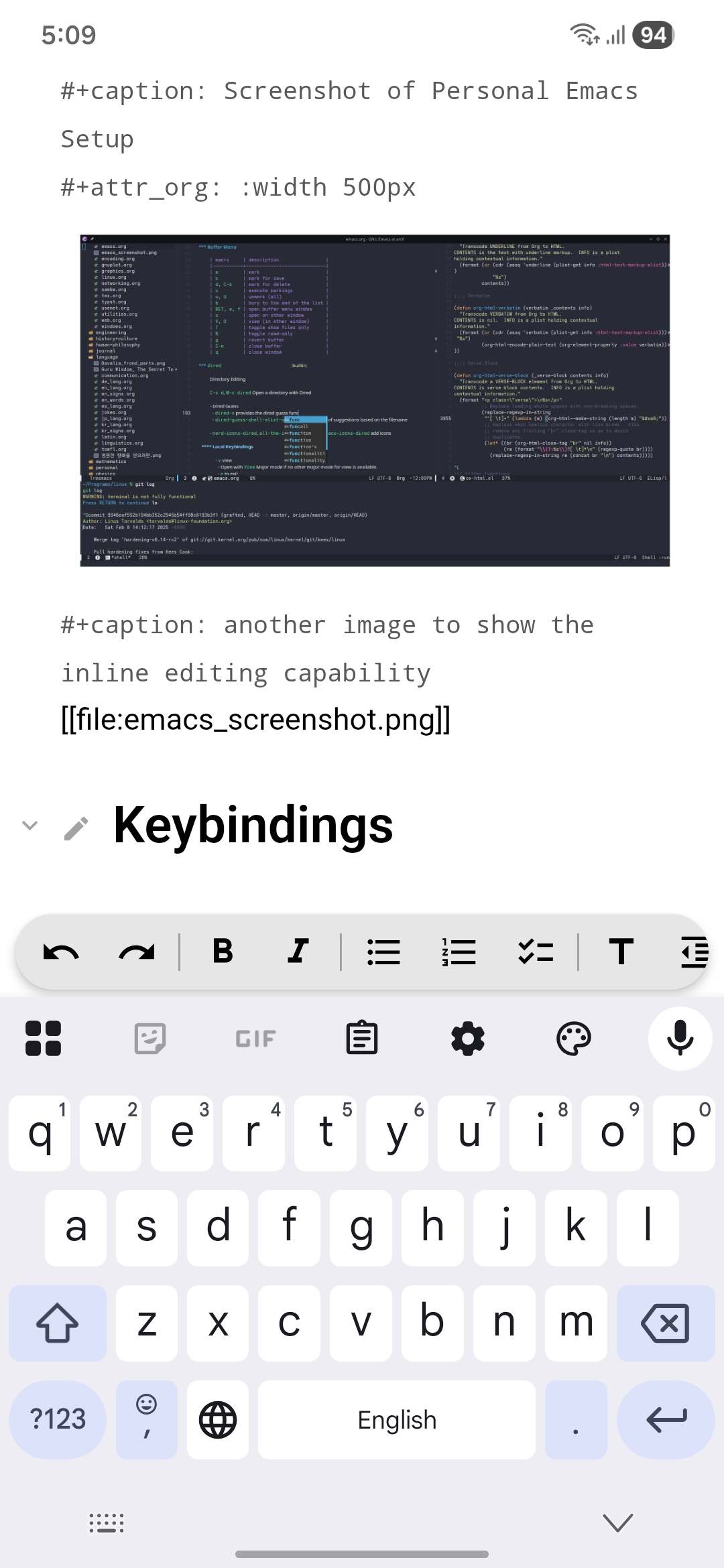
Everything renders and edits in place: inline images and links, LaTeX fragments both inline and display, Org blocks with basic syntax highlighting, tables, headings, lists and checkboxes.
Agenda and calendar
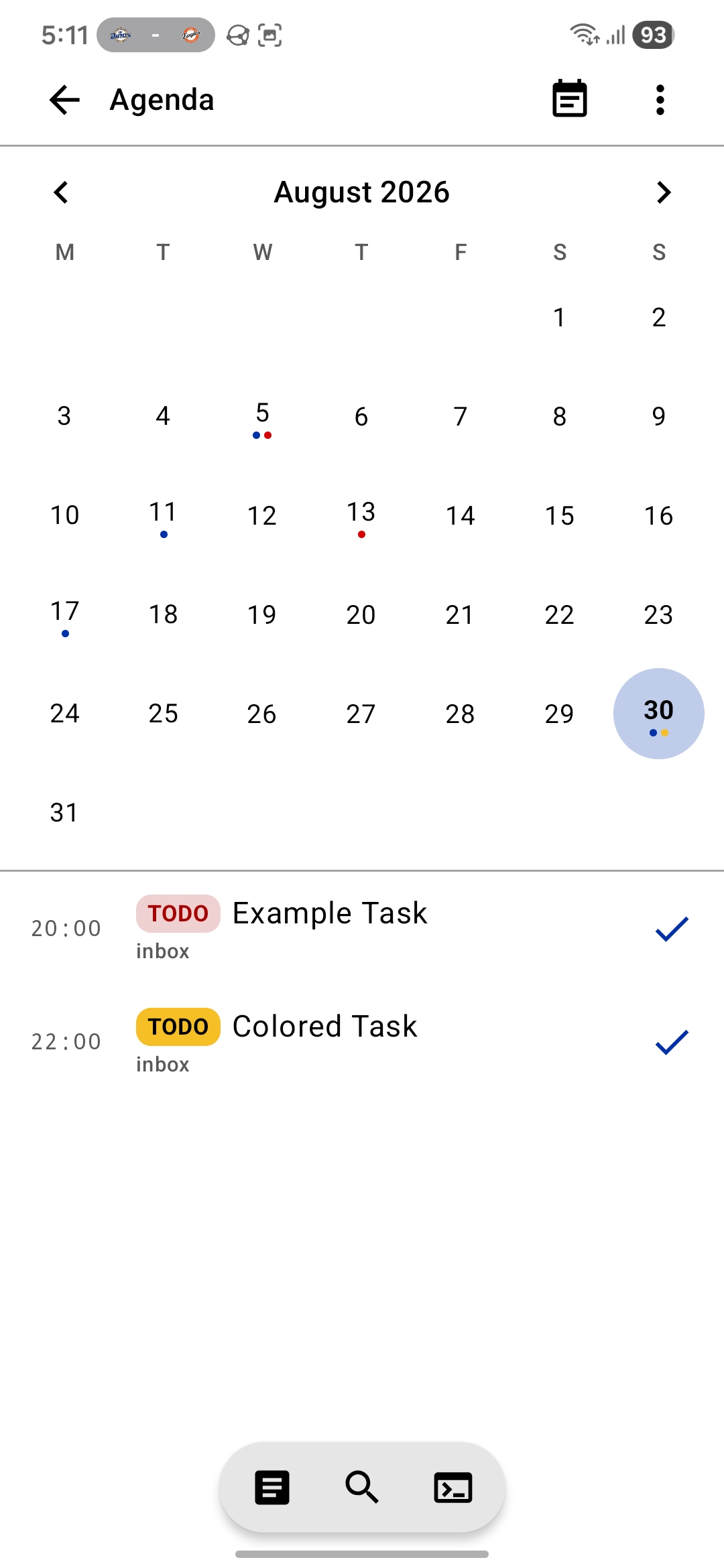
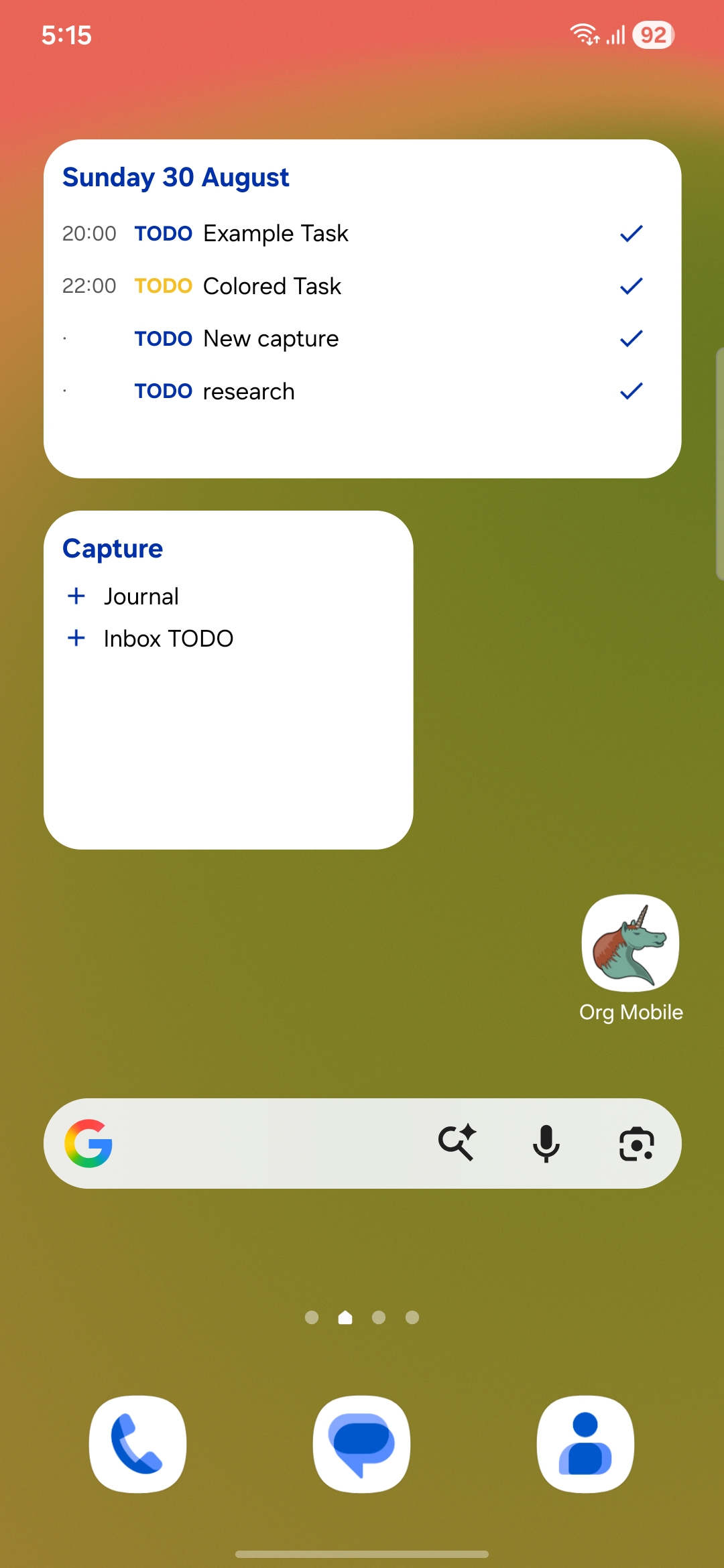
An org-agenda substitute: a list view and a calendar view of
every TODO item in the vault. What each view shows is configurable per item
class in the settings.
Widgets and reminders
Home-screen widgets for the agenda list, the month calendar, and a capture
box that does its best impression of org-capture. Reminders are
an extension to the Org syntax rather than a database of their own — a
:REMINDER: property holding a relative
(SCHEDULED -1h) or absolute
(<2026-08-06 Thu 9:30>) time, so they travel with the file.
Command palette
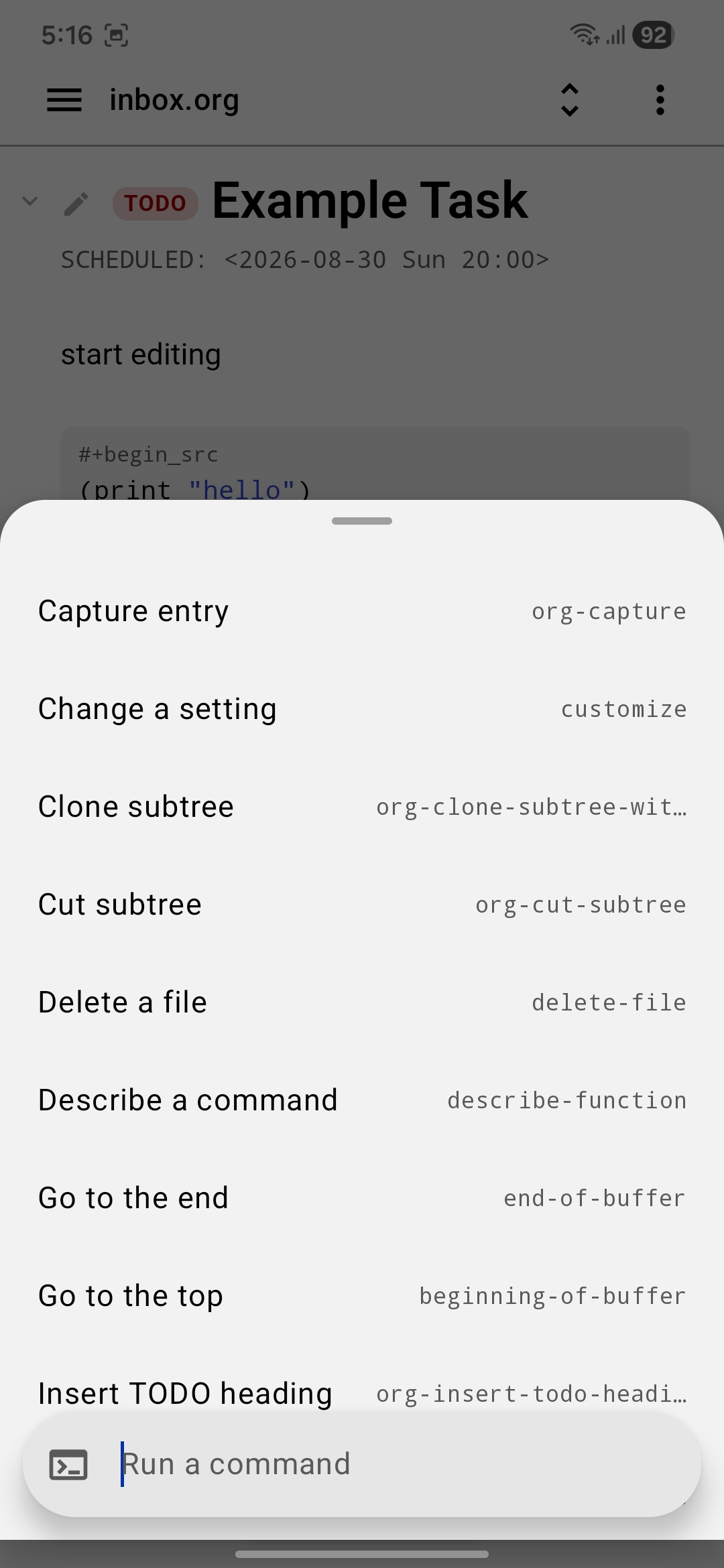
An M-x substitute. The commands are native — there is no elisp
interpreter in here — and the fuzzy match hits both the plain-English label
and the Emacs name, so org-clone-subtree-with-time-shift and
“clone subtree” find the same thing. org-cut-subtree,
org-insert-todo-heading, org-journal-new-entry,
find-file, undo, describe-function and
friends are all in there.
Omni search
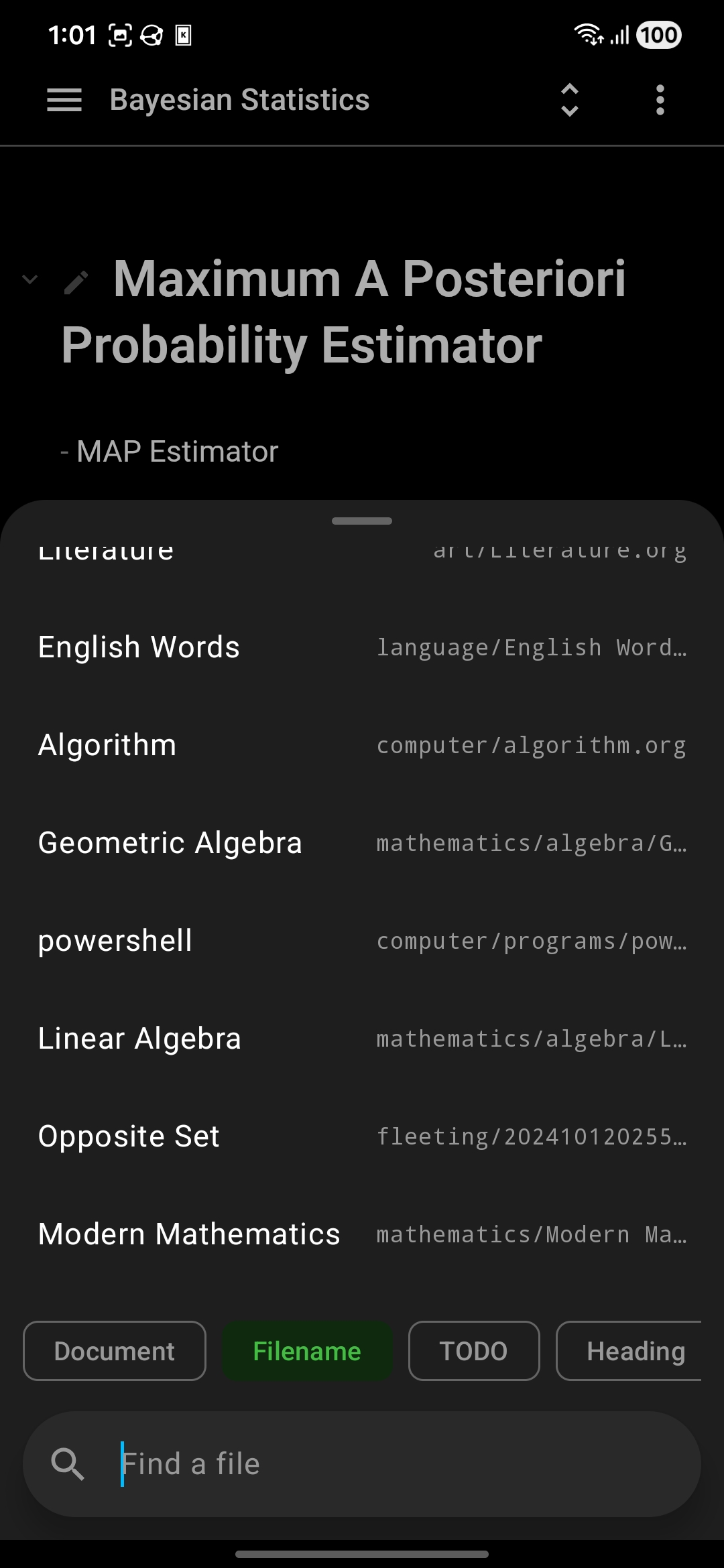
One prompt, five searches: within the current document
(isearch), by filename, over TODO items, over every heading in
the vault, and full text — the last of which runs asynchronously so the
prompt never waits on it.
Capture and journal
org-capture templates in the file and
file+head shapes, with %^{prompt},
%t, %? and %i expansion, and enough of
org-journal to write today's entry.
Theming
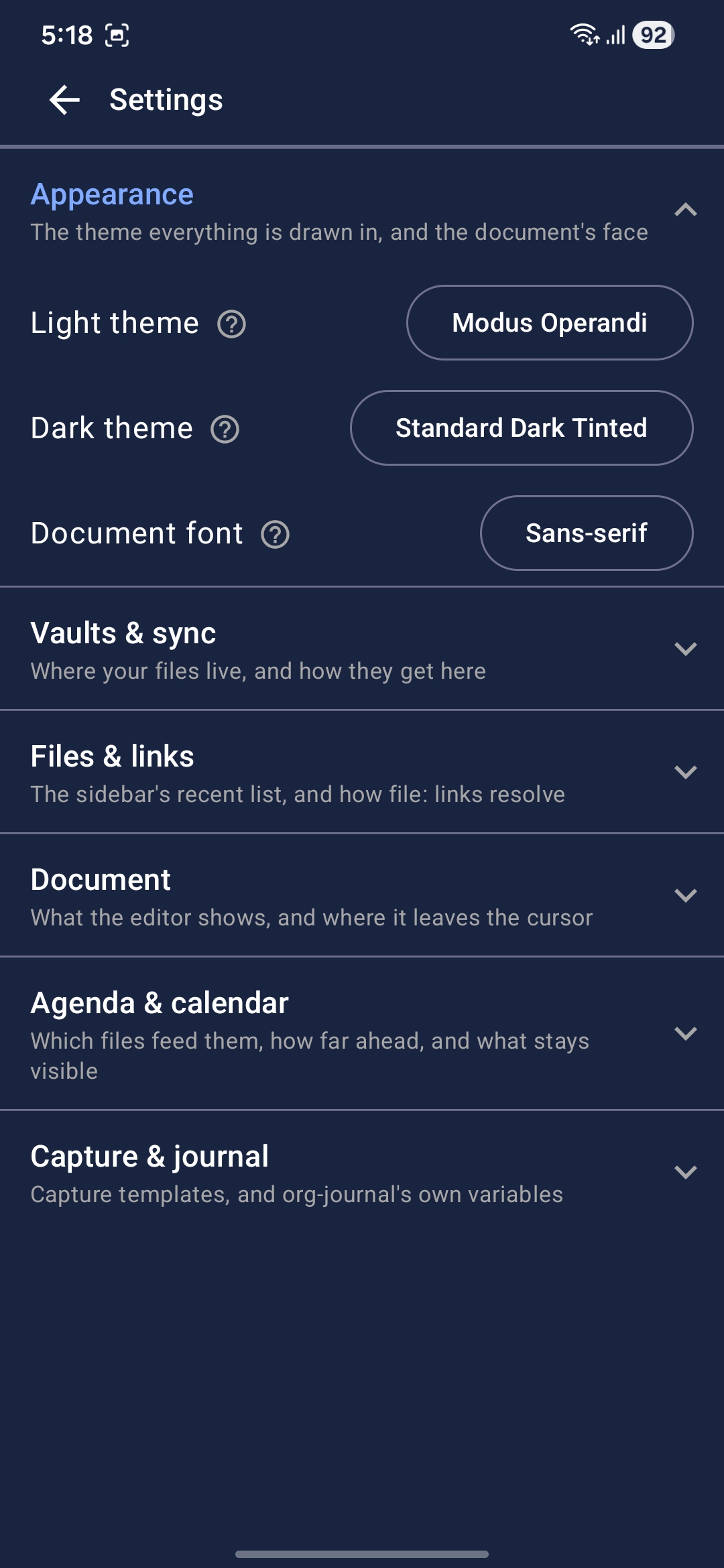
A theme is one CSS file redefining the colors the editor draws with, and
nothing else — no JavaScript, no build step of its own. The four in the picker
above were converted from their Emacs originals by
tools/emacs-theme-to-css.py, and any .css in that
shape can be imported on the phone without a rebuild. Kotlin reads the same
file for the app's own chrome, so the document and the screen around it are
one theme rather than two; there are two pickers, light and dark, and the app
wears whichever the phone's own switch calls for.
How it is built
The rendering engine knows nothing about Org. The live-preview editor
(web/packages/doc-engine) is a standalone, dependency-free engine
that understands text, selection, folding and undo; Org is a language plugin
on top of it.
The buffer is the file, verbatim. Markup that live preview hides is
still in the DOM inside display:none spans, so the text nodes of a
row always concatenate back to that row's source, character for character. An
offset in the engine is an offset in the file — which is what lets the Kotlin
side splice a heading by position without re-serializing anything.
Backends are pluggable. Any file store that implement the standard interface can be plugged in. Local storage is a local folder you pick, and you sync it with Syncthing, git, rsync, whatever you already use. WebDAV is a remote share, which might be a MobileOrg staging area. The app never wants to be the thing that owns your files.
  DocumentScreen ─access─▶ VaultManager ─manage─▶ OrgVault
        │   ▲              VaultActions              │
   call │   │ bridge                                 ├─▶ OrgDocument
        ▼   │                            store/load  │    OrgParser
  doc-engine (JS)                                    ▼
                                              OrgFileStore
                                                ├─▶ SAF folder
                                                └─▶ WebDAV share
Closed testing
Org Mobile is planning to start closed testing on Google Play, which means the build only reaches addresses that are on its tester list. If you keep Org files and an Android phone in the same life, help me test this project, and make the life with Org mode much nicer.
It takes an email address — the one your Google Play account uses, since that is what the tester list is keyed on — and a nickname to credit you by. Nothing else, and nothing is passed on.